

Your aircraft, priced your way, in front of brokers.
Set up each aircraft once – rates, airport costs, taxes and scheduling rules – and Advolo prices every broker search with exactly those numbers. More requests, less quoting by hand, and you stay in control of every quote and every booking – at your desk or on your phone.
A price engine that follows your rate card
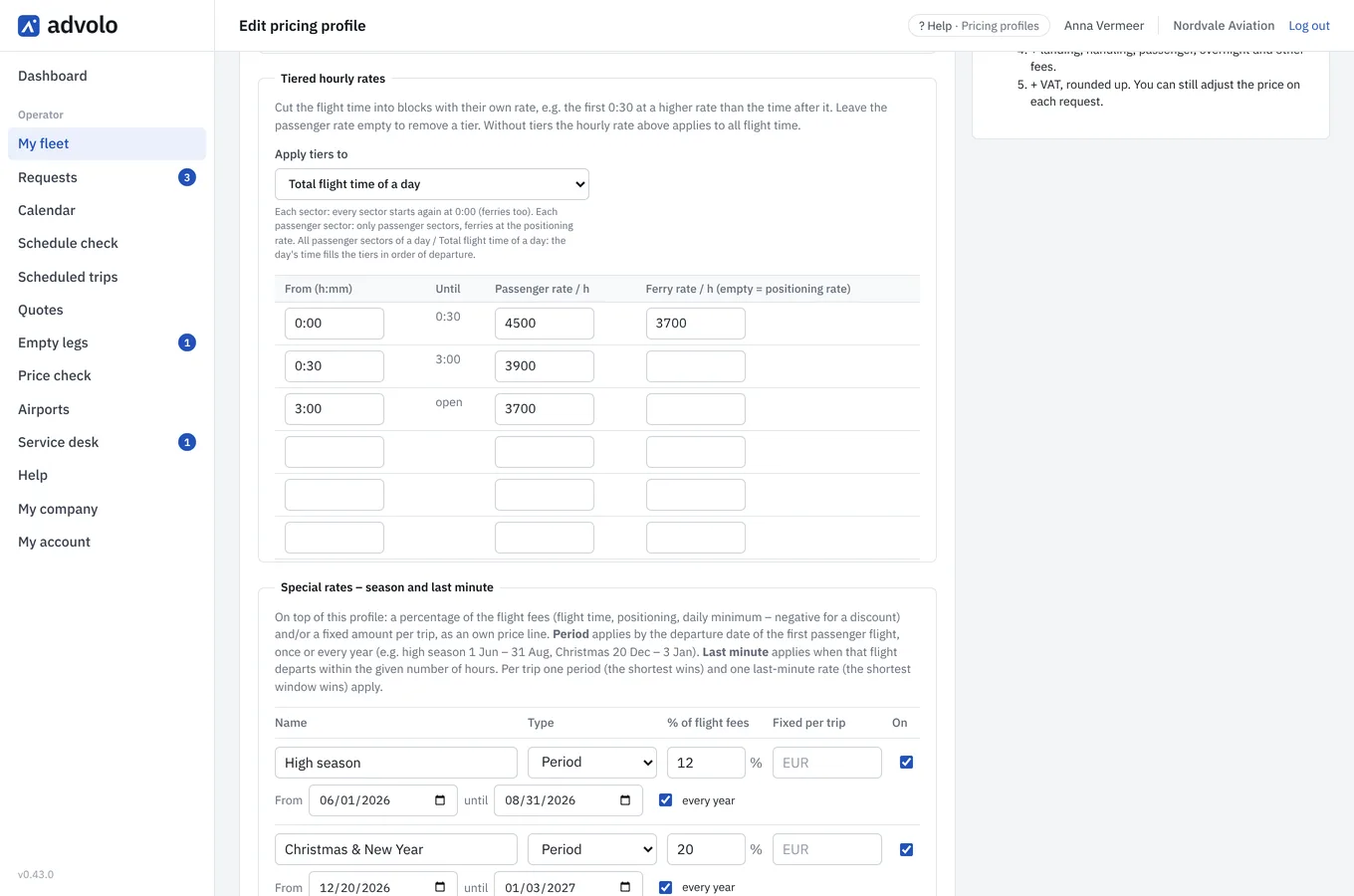
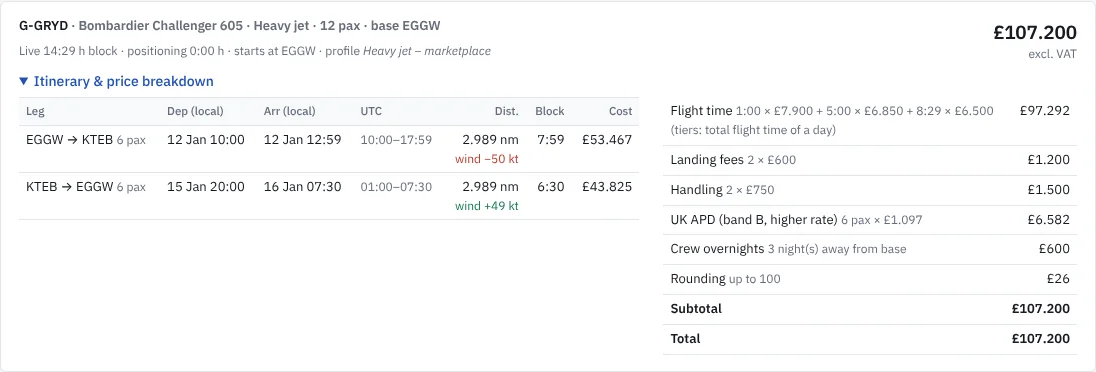
Set up each aircraft once with your own hourly rates – different rates for short and long trips, a high season, the holidays and last minute – plus positioning, rounding and VAT. Flight times can be rounded to five minutes, the way you invoice. Every broker search is priced with exactly those numbers, so the first price a broker sees is already yours.
Brokers only see the rates you publish on the marketplace; you can keep other rates for your own direct clients.
Airport costs and taxes, worked out for you
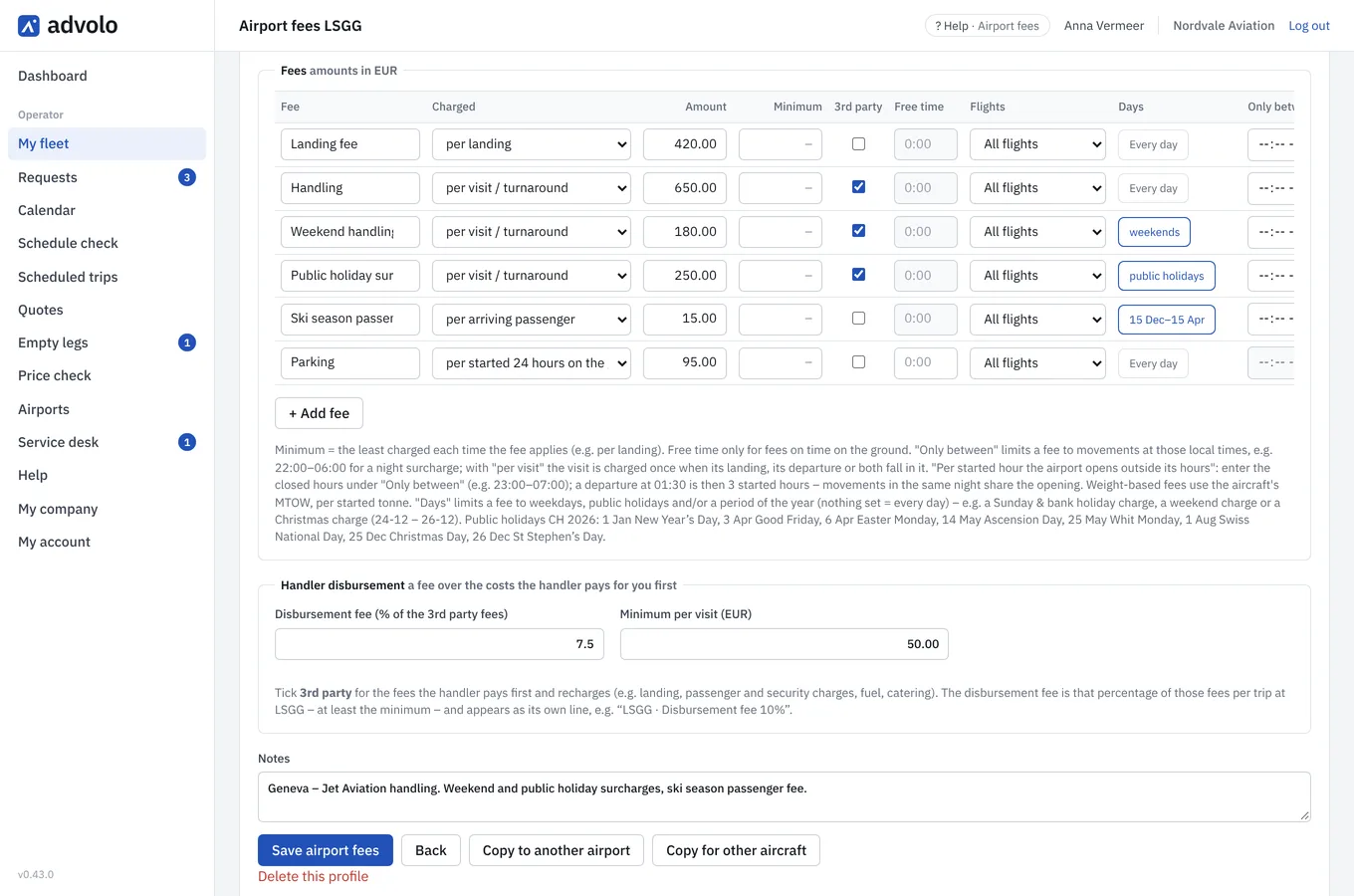
Record what each airport costs you once – landing, handling, parking, passenger fees – including the surcharges that only apply at night, at the weekend, on public holidays or in a season, a night opening or the hours an airport stays open for you. Enter each airport in the currency it charges in; Advolo converts it at the day’s rate. Mark the costs your handler pays for you, and Advolo adds the handler’s disbursement fee on top.
Passenger taxes of the main European charter markets are built in and kept up to date; you choose which ones you charge, and Advolo only adds them where the trip actually departs.
Airport costs exactly as the airport charges them
A landing fee and a passenger fee per airport is where most price calculations stop. Advolo knows the rest – so a night departure never costs you a thousand euros you did not quote, and the broker sees a price you can actually fly for.
Night opening
Departure 23:40 – the airport is closed 23:00–07:00 and opens for you
- Night opening, once per visit
- € 1.100
Opening hours extension
Airport closes at 23:00, departure at 01:30
- 3 started hours × £ 300
- £ 900
Weekends, holidays and seasons
A Saturday arrival in the ski season
- Handling
- CHF 650
- Weekend handling surcharge
- CHF 180
- Ski-season passenger fee, 4 × CHF 15
- CHF 60
The handler’s bill, too
Fees the handler pays for you first
- 3rd party fees
- € 1.240
- Disbursement fee 10%
- € 124
Every airport in its own currency. Enter fees in EUR, GBP, CHF or USD as the airport charges them; Advolo converts them at the day’s reference rate into the currency of each quote.
Per landing, departure, visit or passenger · per tonne MTOW · per hour, day or night on the ground, with free time · only between certain local times · only on weekdays, public holidays or in a period of the year · passenger or ferry flights only · minimum charges · per started hour outside opening hours
Example figures. You enter your own fees per airport and per aircraft; every broker search and every quote is priced with them.
Back to base, stay at the destination, or stop for fuel
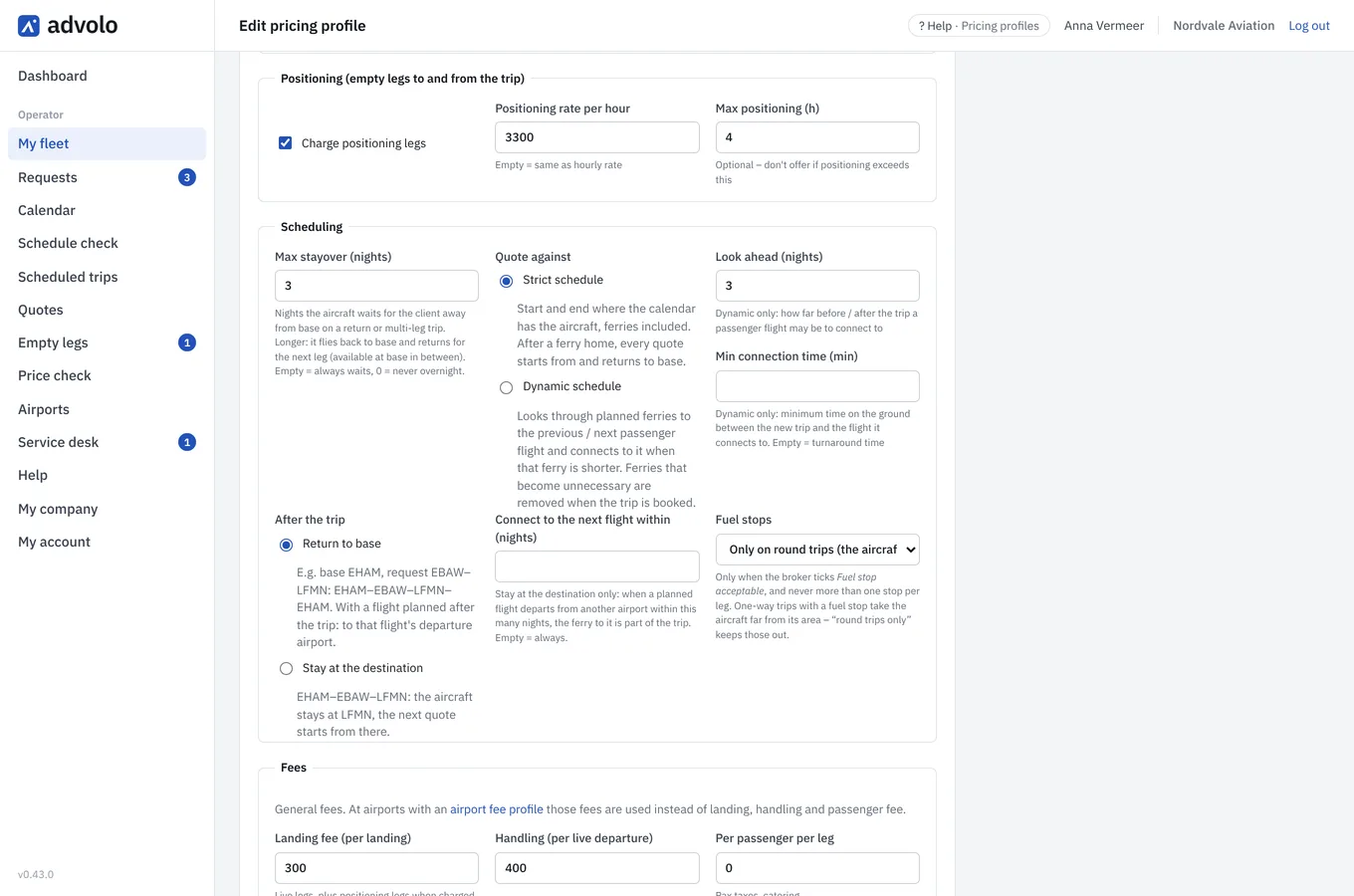
Decide how long an aircraft waits for its client, how flexibly your schedule may be planned and what happens after the last leg: fly home or stay where the client landed. The price follows your choice – including the positioning that comes with it.
Allow fuel stops where you want them, and brokers who accept one see your aircraft for longer trips too – with the stop in the time and the price.
Several aircraft, one offer
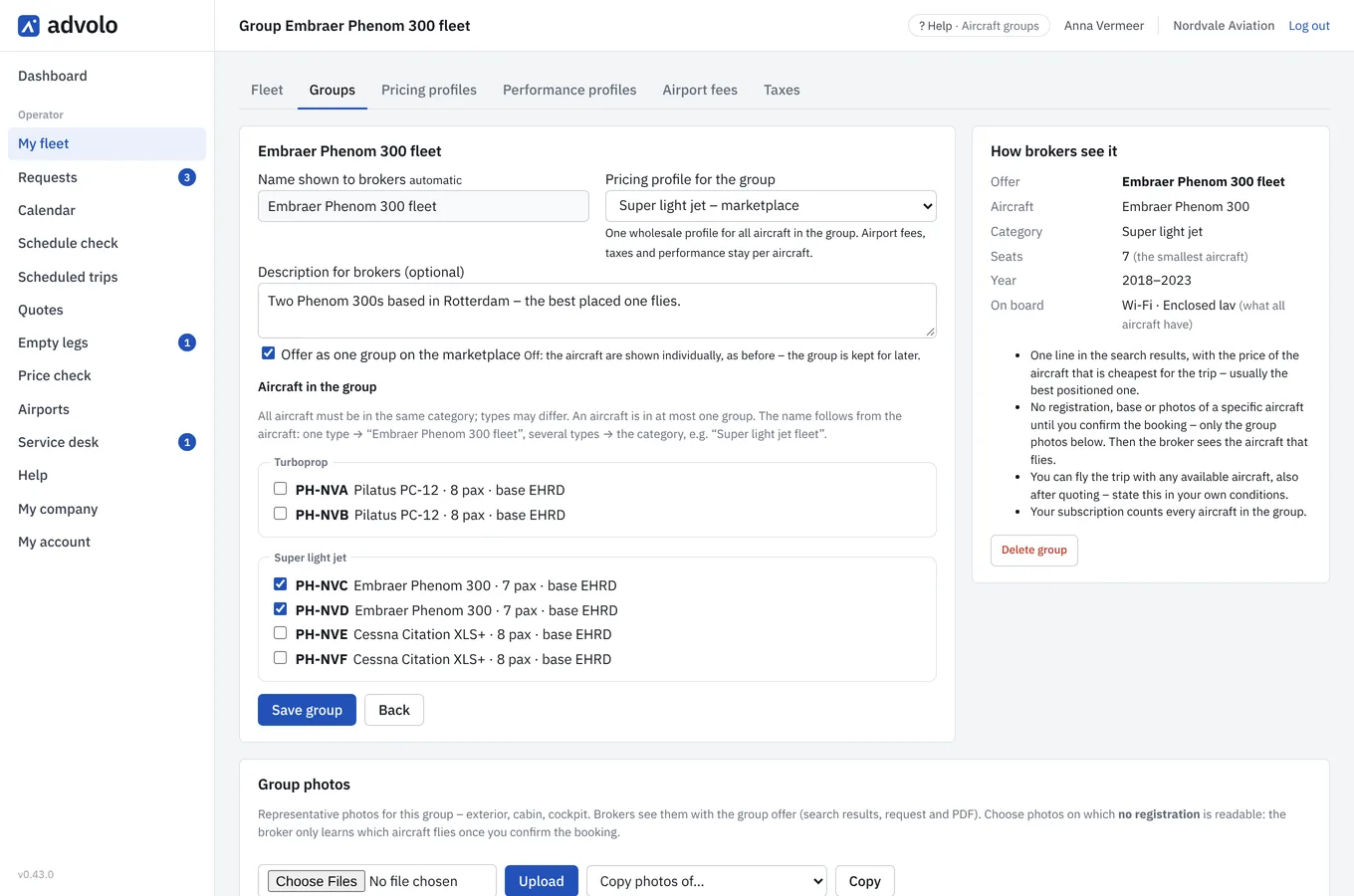
Group aircraft of the same category – three Phenom 300s, or a Phenom 300, a PC-24 and a Citation XLS+ – into one fleet offer with one rate card and representative photos. For every trip Advolo offers the aircraft that is best placed, so your price is as sharp as it can be.
Brokers see the type and what the aircraft have in common; the registration follows when you confirm the booking. Until then you decide which aircraft flies.
Realistic flight times, every month of the year
Flight times follow the performance of your own aircraft and the seasonal winds of the month. A westbound Atlantic crossing in January is priced longer than the same trip eastbound – the way you would plan it yourself, without correcting each quote.
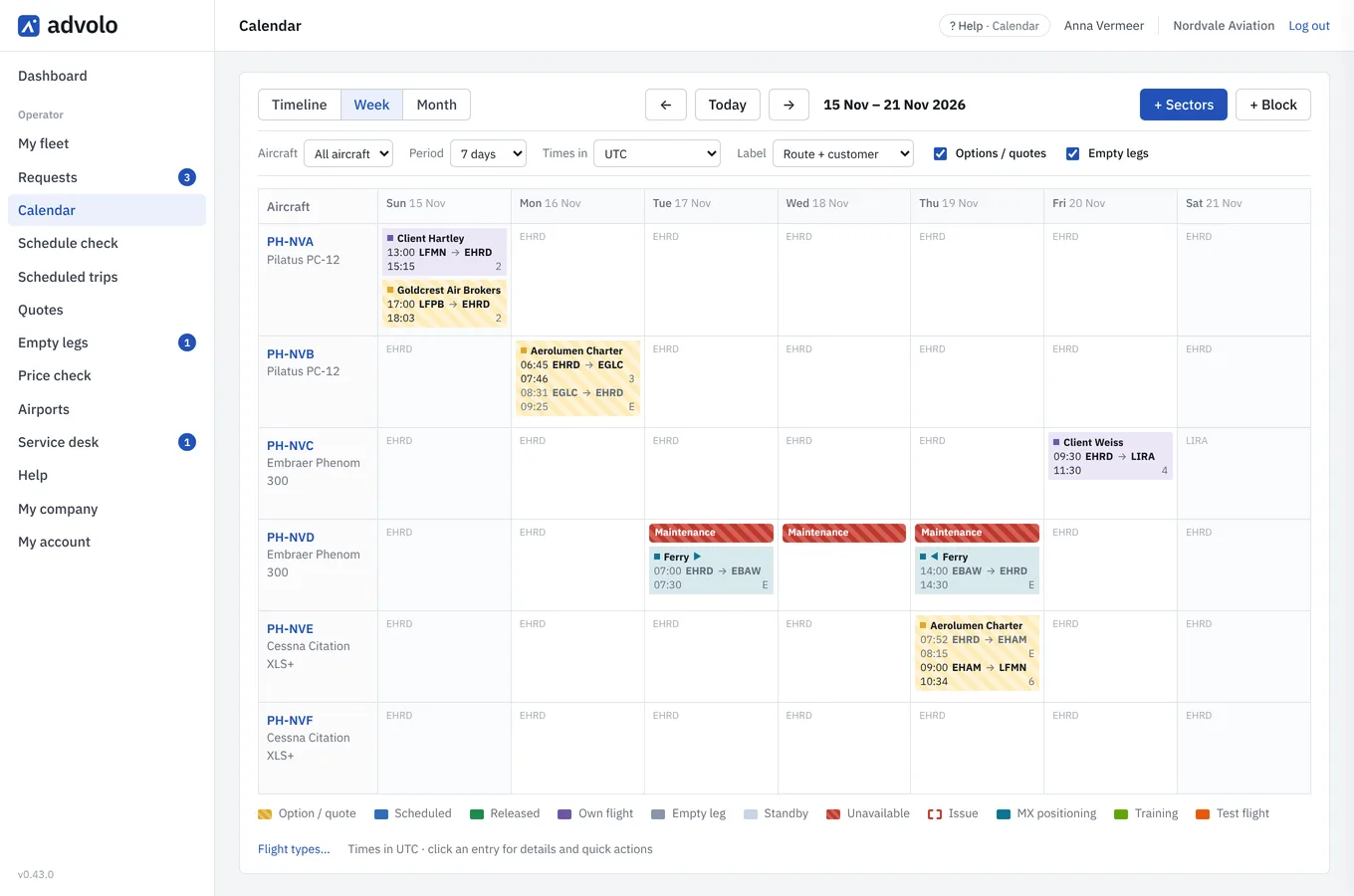
A calendar that keeps the marketplace honest
Flights, options and maintenance in one calendar. Booked flights and maintenance make an aircraft unavailable; planned ferries stay flexible, so you never miss a booking because of a positioning flight. A leg without passengers is a ferry – no extra choice to make.
Your own flight types – MX positioning, training, test flights – in your own colours. They keep the aircraft unavailable and are never offered as an empty leg.
The schedule check warns you about conflicts, missing ferries and tight turnarounds before they become a problem.
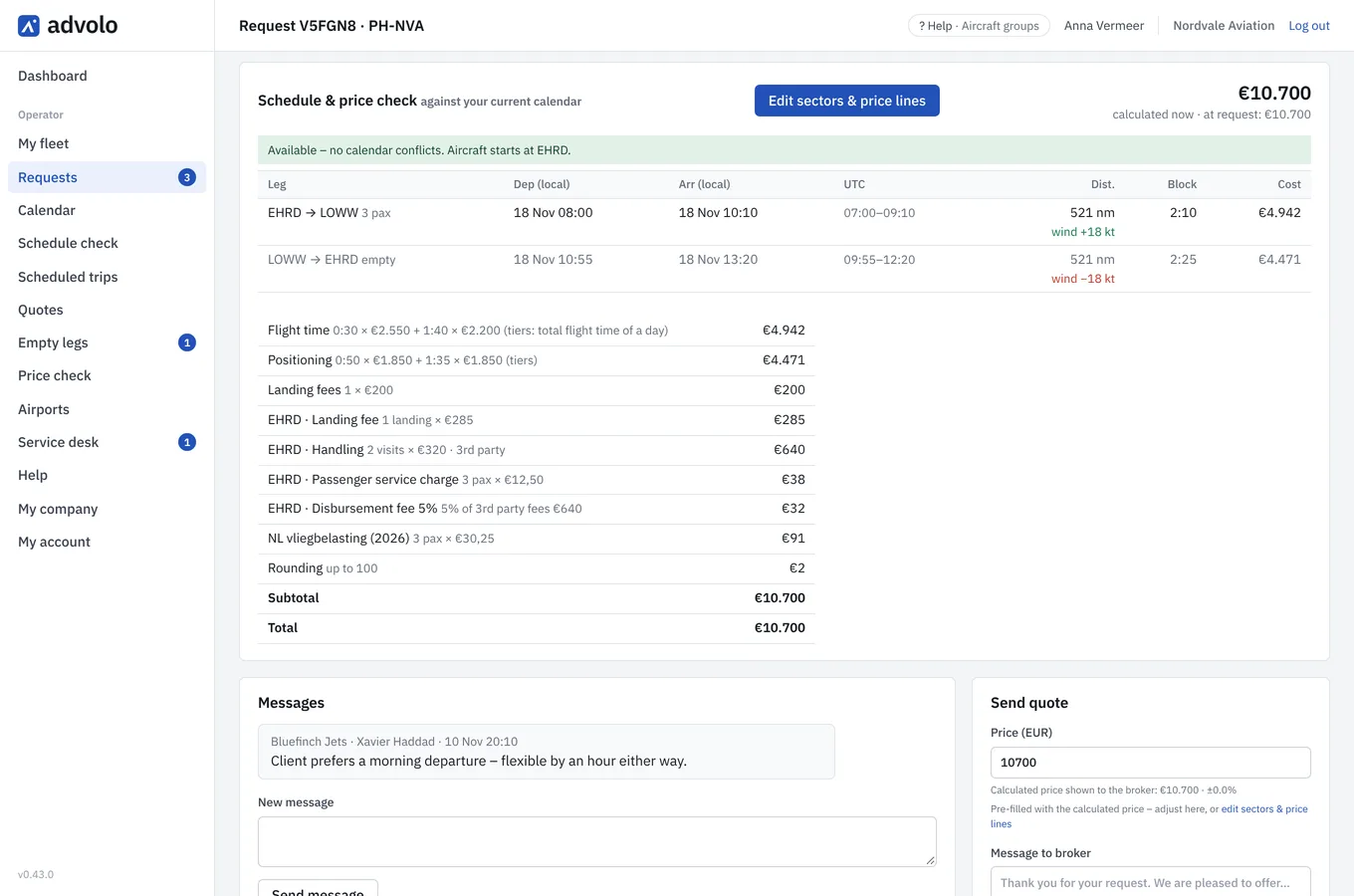
Requests in, quotes out
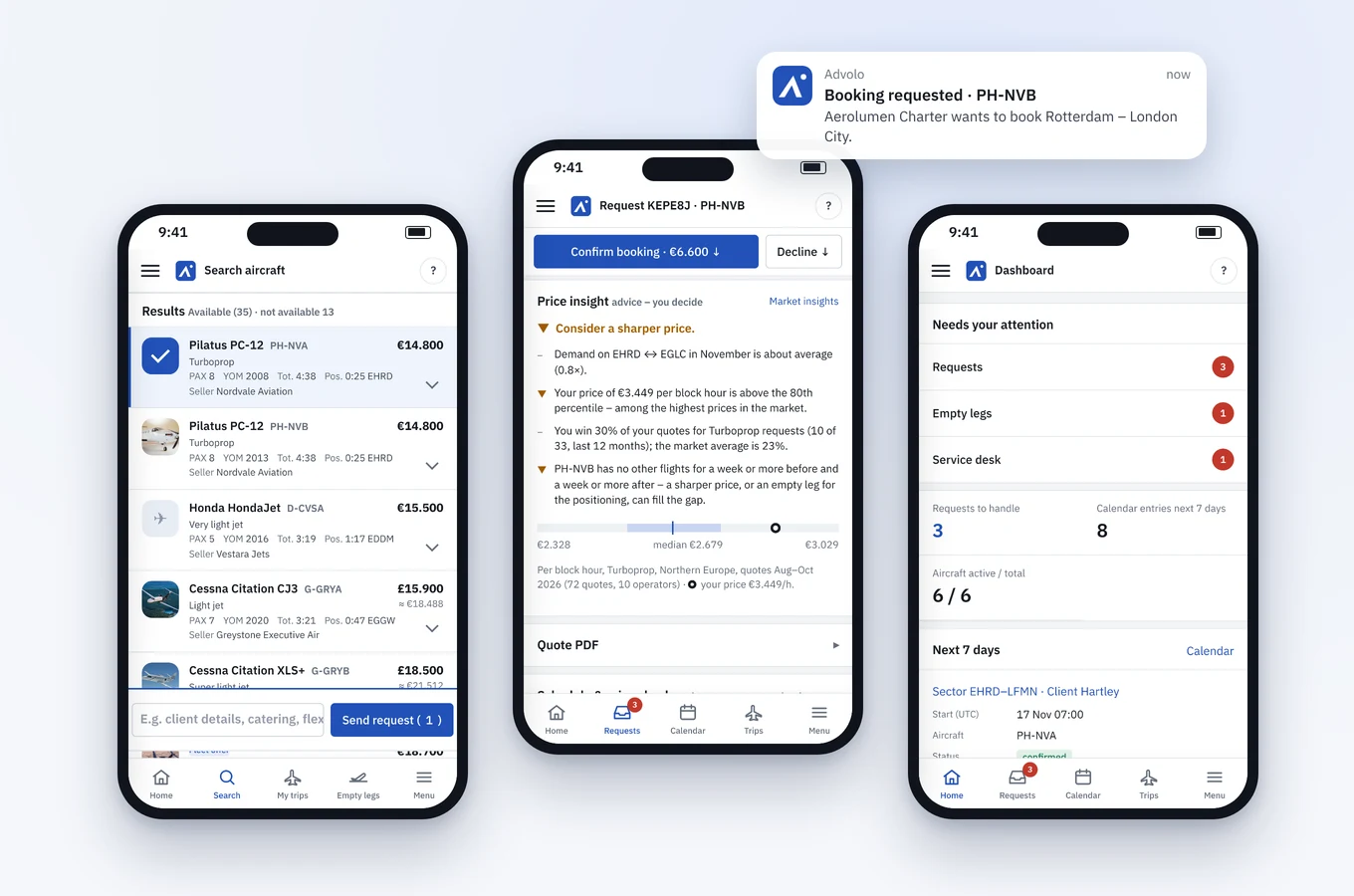
Every request arrives with the schedule and the price already worked out – and as a notification on your phone. Adjust what you want, hold the aircraft as an option and send your quote. When the broker asks to book, you confirm with one click and the trip lands in your calendar.
After booking you can still change times or positioning without touching the agreed price, and a broker’s cancellation request is answered in the same trip.
Brokers can also show a search on their own website. Their clients see a price per category based on your rates – never your name, registrations or photos – and the enquiry reaches you as a normal request from the broker. You can switch this off at any time.
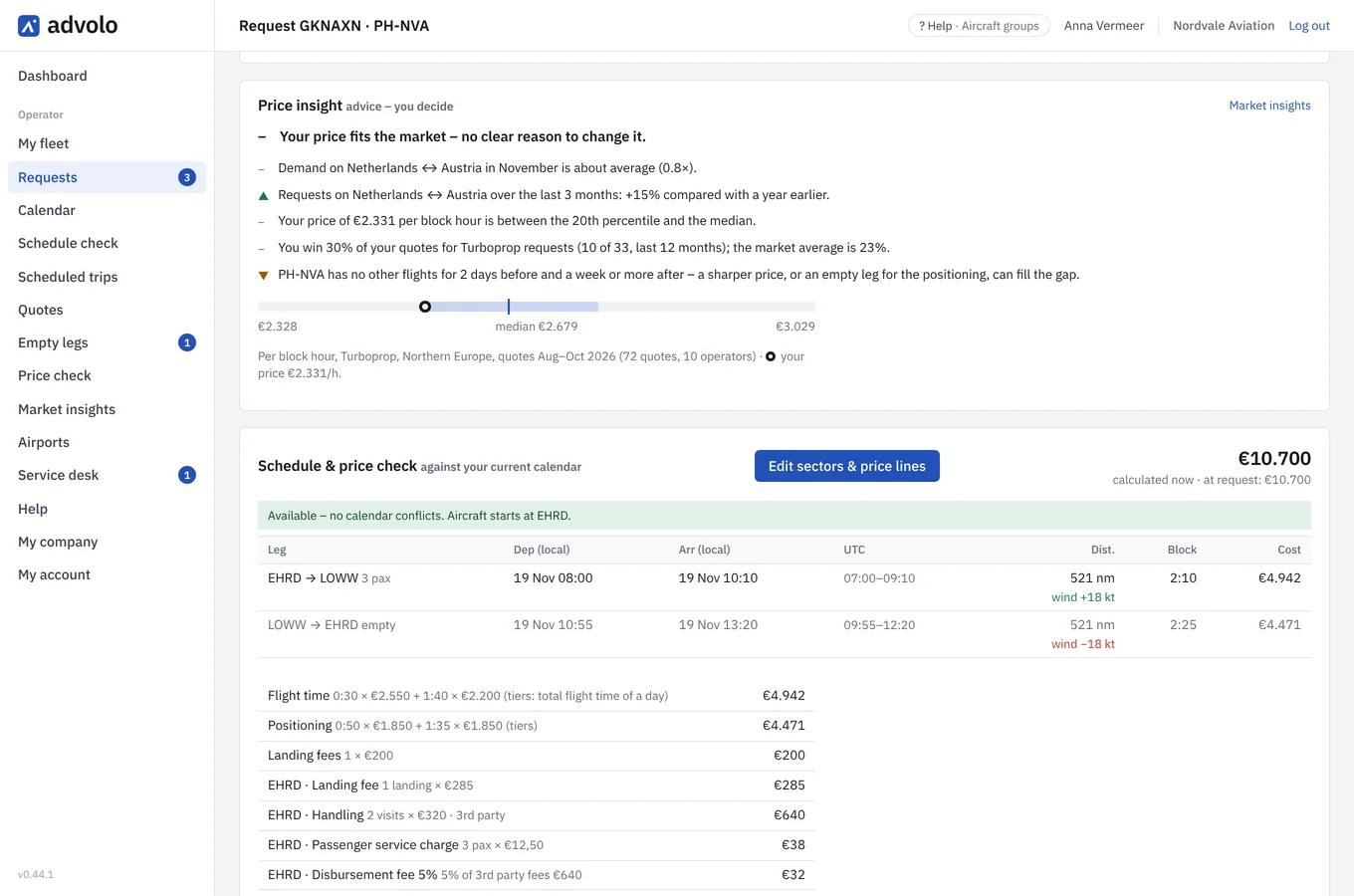
Price advice from the market
Next to every request, Advolo tells you how busy the route is in that month, where your price sits among the market’s quotes per block hour, how often you win compared with the market – and whether your aircraft stands idle around the trip. Advice that points down as well as up: you decide.
Market insights show demand per route and month and price levels per category, for every operator and broker alike – the kind of report that is usually sold separately. Only complete months, and only when enough companies are behind a figure. Nobody sees another company’s prices, availability or bookings.
From booking to flight
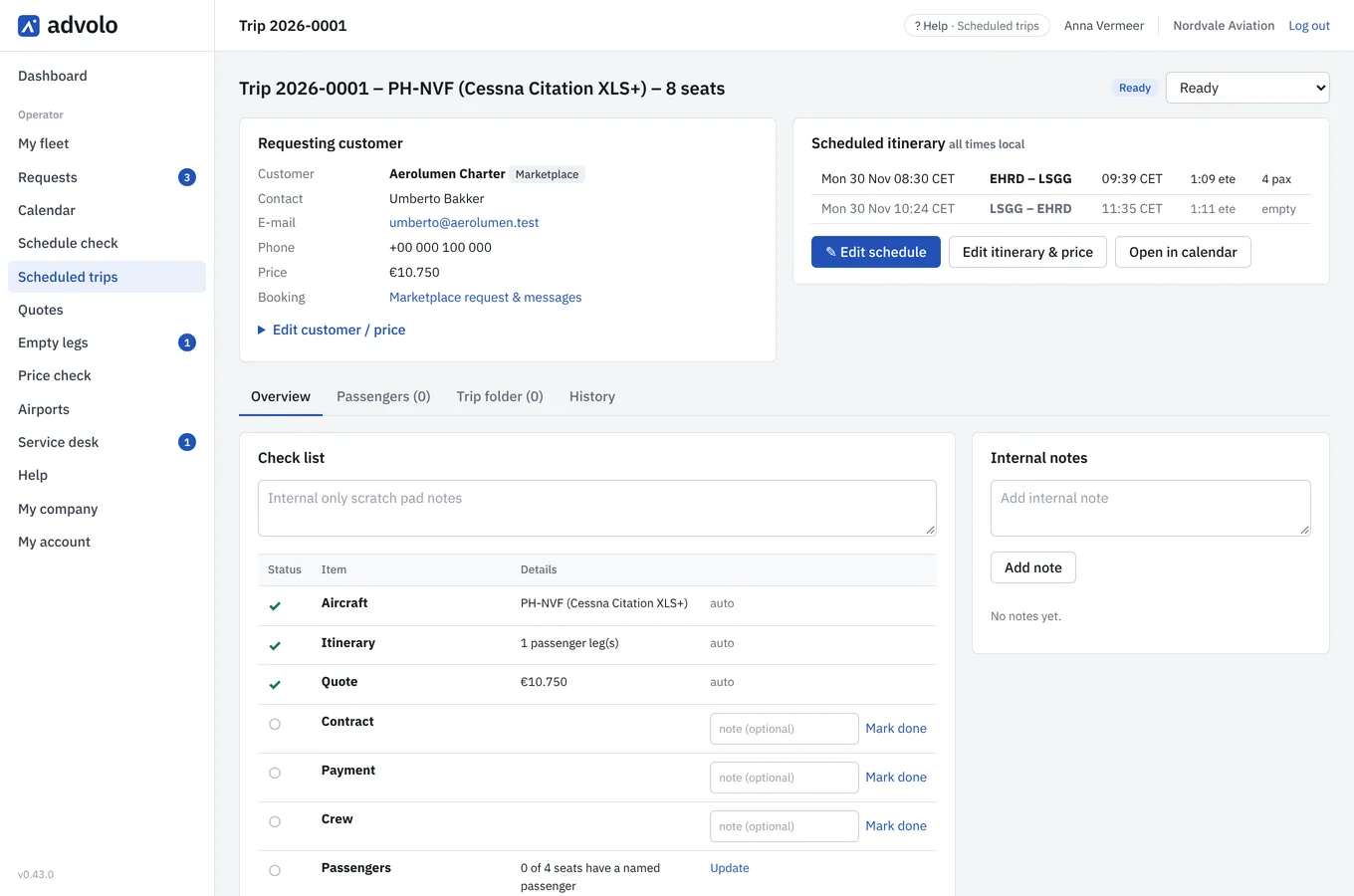
Every booking becomes a trip with the customer, the itinerary, passengers, documents and a check list for the contract, payment, crew and passengers – so nothing is forgotten between the booking and the flight.
Quotes for your direct clients too
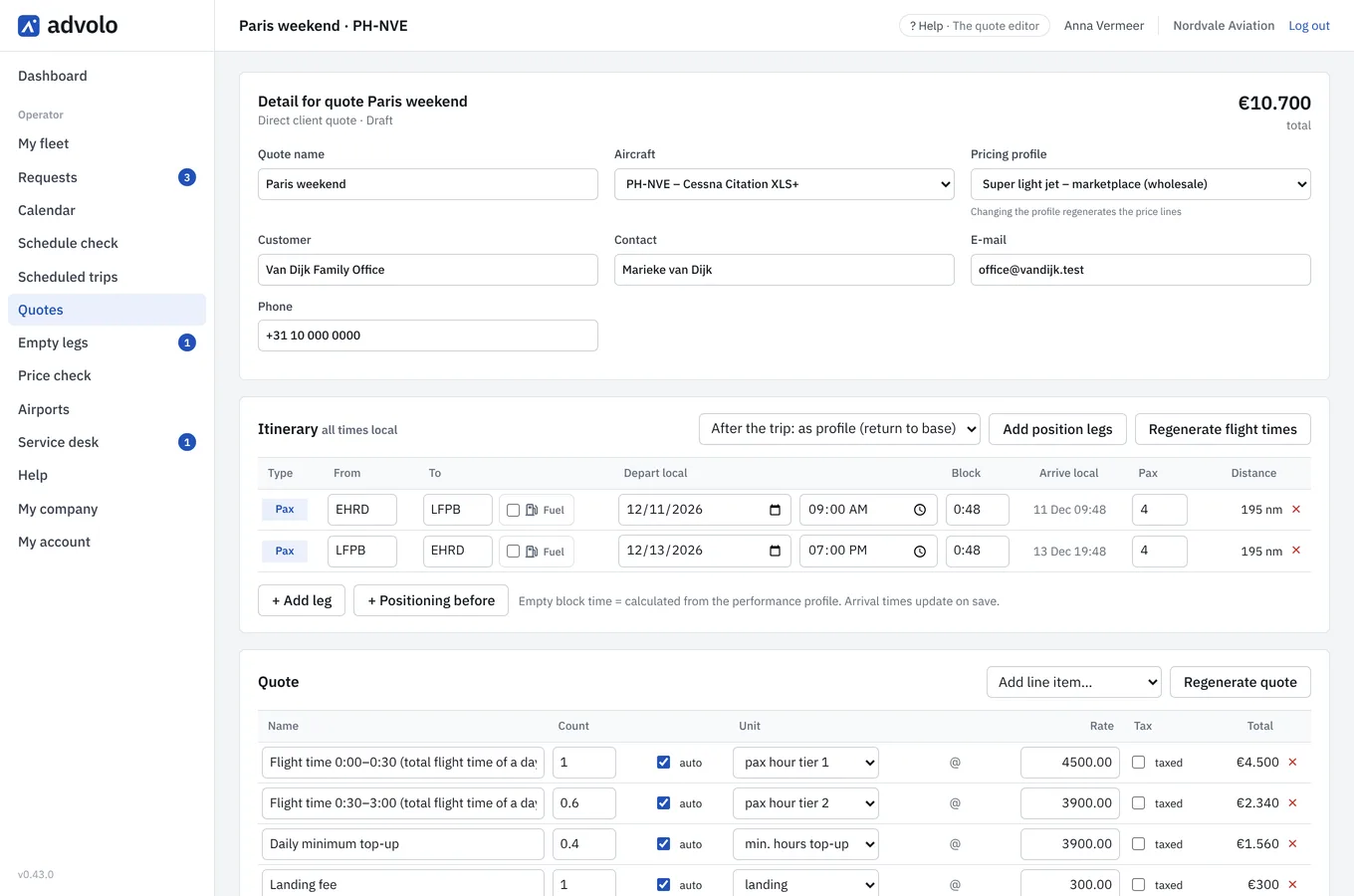
The same price engine for clients who call you directly: sectors, positioning and price lines from your own profile and airport fees, editable line by line, and a PDF in your company’s name. Quotes for past trips move to the archive by themselves.
Turn ferries into empty legs
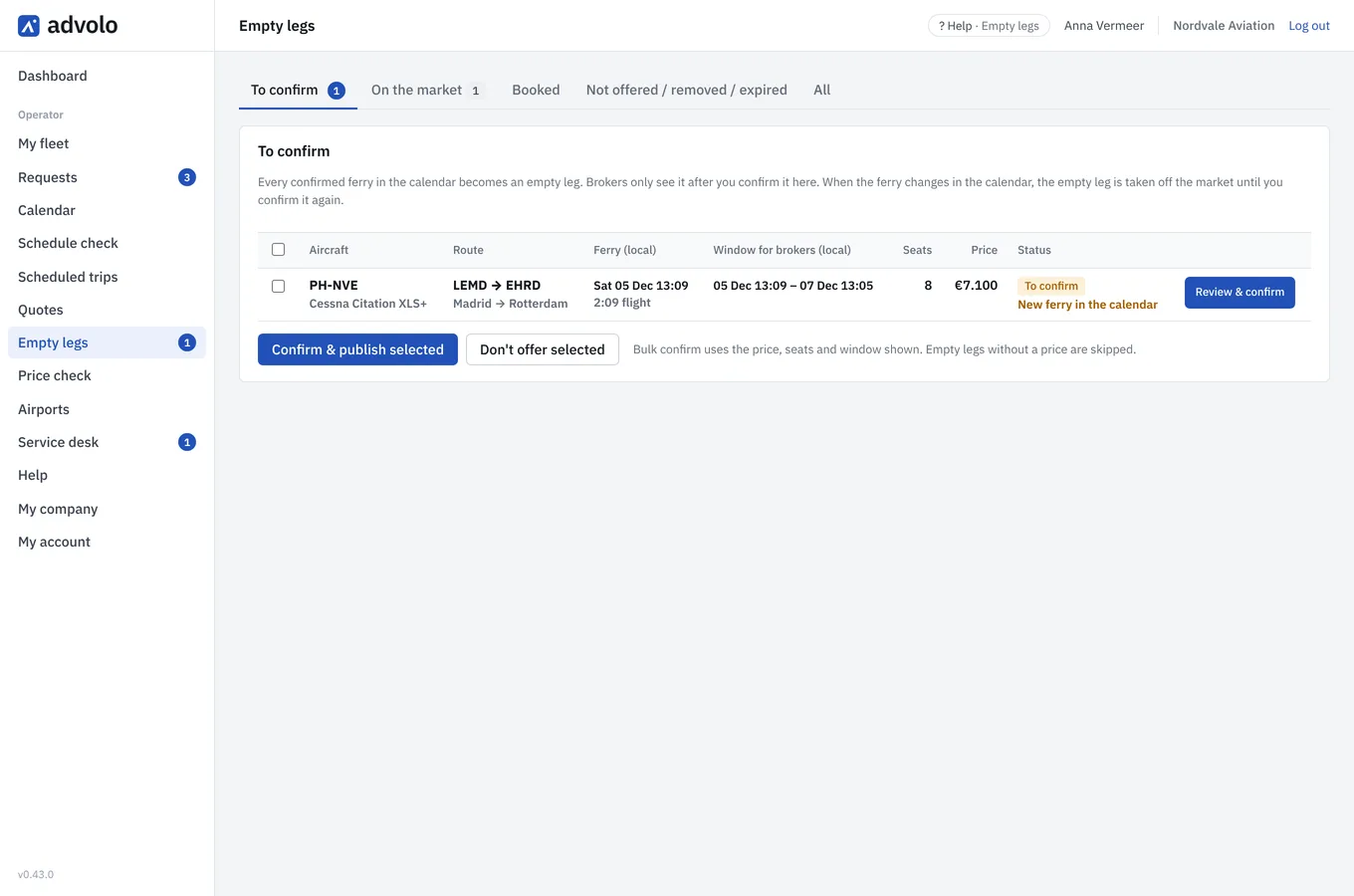
Every confirmed ferry in your calendar becomes an empty leg offer – not your MX or training flights. You check the price and confirm it; only then do brokers see it – and when the ferry changes, the offer follows or disappears by itself.
On your phone, wherever you are
Add Advolo to your phone’s home screen and it opens like an app. A new request or a booking request arrives as a push notification; open it, check the calculation and confirm. Prices and schedules you change on your computer – the phone is for answering fast.
Choose per kind of message who is told: personally, on your shared operations or sales address, or both.
Getting started
- Request accessTell us about your company and fleet, and we show you Advolo in a short online demo.
- Your agreementReview and sign the service agreement online. Once the first invoice is paid, your company is active and your administrator invites colleagues.
- Aircraft and ratesWe add your aircraft and check your AOC; you set your rates and airport costs. We help you set them up, and the manual guides every step.
- Live on the marketplaceCheck prices with the price check, then publish your aircraft to brokers.
Join the charter community on Advolo
Request access for your company, or book a short demo first – we show you your own trips in Advolo.